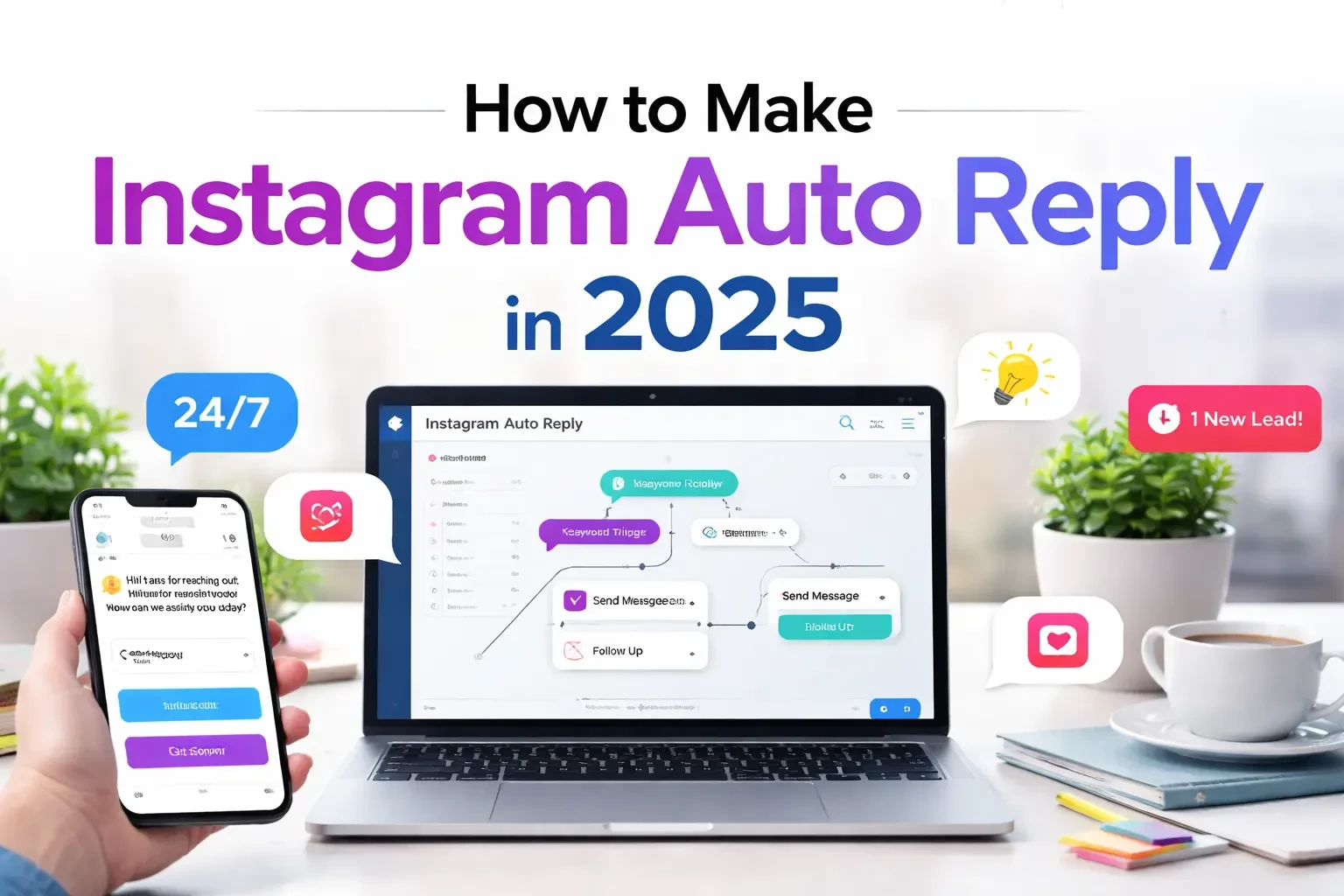
What Is Instagram Auto Reply and Why It Matters in 2025?
What Is an Instagram Auto Reply?
An Instagram auto reply is an automated message sent instantly when a user performs a specific action — such as sending a direct message (DM), commenting on a post, mentioning your brand in a story, or triggering a keyword.
In simple terms, Instagram auto reply allows businesses to respond automatically to incoming interactions without needing a human to manually type each response.
In 2025, Instagram DM automation is no longer just a convenience feature — it has become a core part of Instagram sales automation and customer communication strategy.
Instead of missing potential leads or responding hours later, businesses can:
- Send instant welcome messages
- Automatically respond to keywords
- Convert comments into private DMs
- Qualify leads through automated questions
- Deliver product links instantly
This makes Instagram auto reply a powerful tool for Instagram lead generation, customer support, and DM marketing.
How Instagram DM Automation Works
Instagram auto reply works through the official Meta (Facebook) API, which allows approved automation platforms to send automated responses within Instagram’s messaging rules.
Here’s how the process works behind the scenes:
- A user interacts with your Instagram account (DM, comment, story mention, keyword).
- The automation platform detects the trigger.
- A predefined message flow is activated.
- The system sends an automated Instagram message instantly.
All automation must follow Meta’s messaging policies, including the 24-hour messaging window rule, which limits how long you can freely message a user after their last interaction.
In 2025, Instagram business automation tools are more advanced, allowing:
- Smart keyword detection
- Conditional logic flows
- Personalization tokens (first name, username)
- Delay-based responses
- Button-based call-to-actions
This creates a semi-chatbot experience while still feeling natural and human.
Why Instagram Auto Replies Increase Sales
Instagram has become one of the strongest sales channels for online businesses. However, response speed directly affects conversion rate.
Studies consistently show that faster replies lead to higher purchase intent.
Here’s why Instagram auto reply boosts sales:
1️⃣ Instant Response = Higher Conversion
People lose interest quickly. Automated Instagram messages respond in seconds — not hours.
2️⃣ Lead Qualification
You can automatically ask:
- What product are you interested in?
- What budget range are you looking for?
- Where are you located?
This filters serious buyers from casual inquiries.
3️⃣ Comment-to-DM Strategy
One of the strongest Instagram growth tactics in 2025 is auto replying to comments by sending a DM.
This moves the conversation to private messages, increasing closing rates.
4️⃣ 24/7 Availability
Your Instagram business automation works even when you’re offline.
5️⃣ Scalable Customer Support
Instead of manually replying to repetitive questions like:
- “What’s the price?”
- “Do you ship internationally?”
- “Is it available?”
You can automate them.
Is Instagram Auto Reply Allowed in 2025?
Yes — Instagram auto reply is fully allowed in 2025, as long as it complies with Meta’s messaging policies.
Key rules include:
- You must use an approved automation platform.
- You must respect the 24-hour messaging window.
- You cannot send unsolicited promotional spam.
- Users must initiate interaction first (in most cases).
When used correctly, Instagram DM automation is safe, policy-compliant, and widely used by brands worldwide.
However, over-automation or spammy behavior can result in restrictions or account limitations — which is why strategic implementation matters.
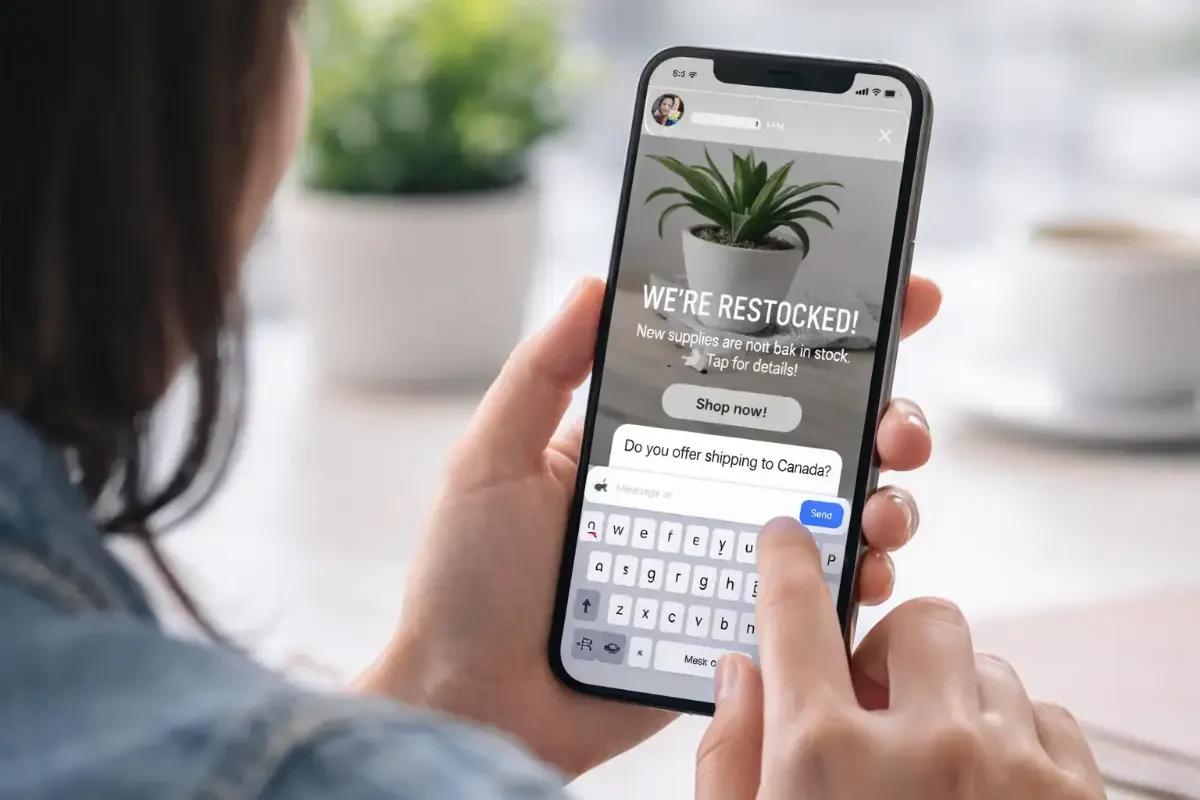
Types of Instagram Auto Replies You Can Set Up
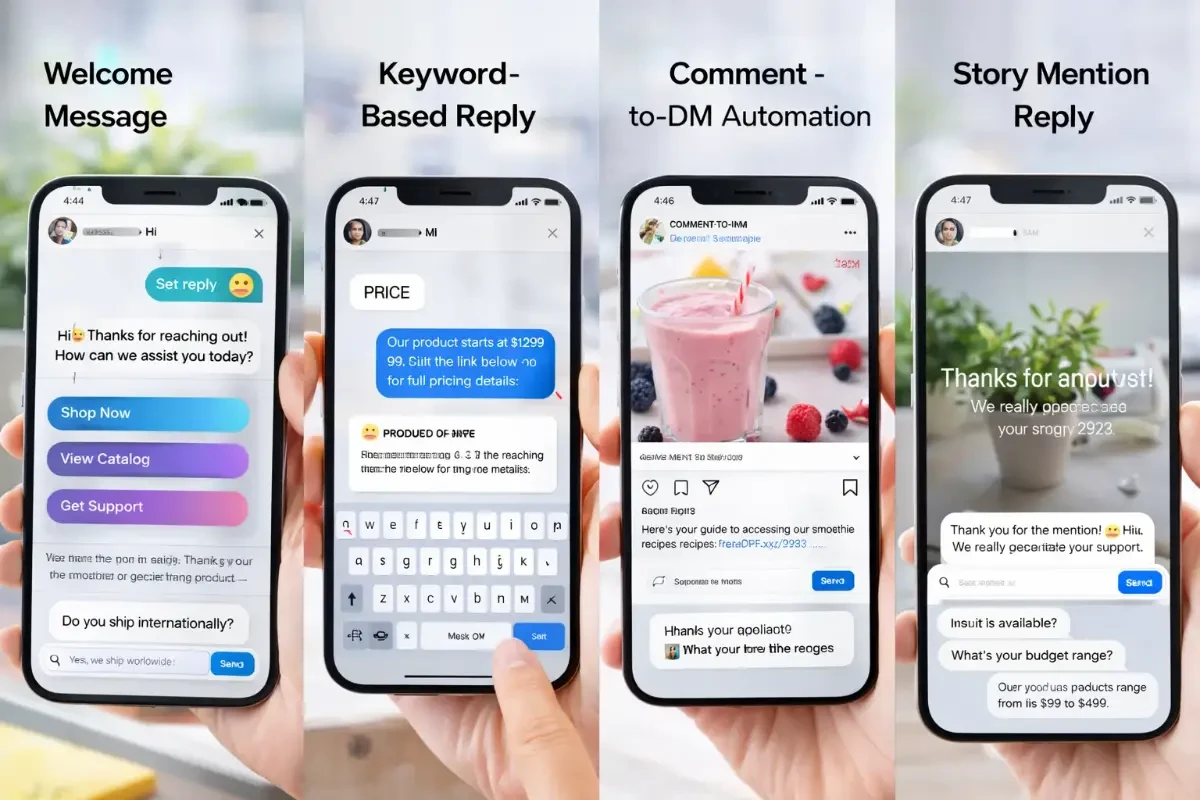
Welcome Message Auto Reply
A welcome message auto reply is the first automated message a user receives after sending a DM to your Instagram business account.
In 2025, instant welcome messages are one of the most effective Instagram DM automation strategies because they set expectations and guide users immediately.
Instead of leaving customers waiting, you can:
- Greet them instantly
- Ask what they’re looking for
- Provide quick access buttons
- Direct them to products or services
Example use case:
When someone sends:
“Hi”
Your automated Instagram message can respond with:
“Hi 👋 Thanks for reaching out!
Are you looking for pricing, product details, or support?”
This improves response time, reduces friction, and increases engagement rate.
For businesses focused on Instagram lead generation, a strong welcome auto reply acts as the first step in the sales funnel.
Keyword-Based DM Automation
Keyword-based Instagram auto reply is triggered when a user sends a specific word or phrase in a DM.
This is one of the most powerful Instagram business automation techniques in 2025.
For example:
- User sends: “PRICE”
- System automatically replies with product details
- User sends: “CATALOG”
- System sends a product link
- User sends: “BOOK”
- System starts a booking flow
Keyword automation is ideal for:
- E-commerce stores
- Course sellers
- Real estate agents
- Coaches and consultants
- Restaurants
It allows you to automate repetitive conversations while still keeping the interaction relevant.
Advanced automation platforms now allow:
- Multiple keyword triggers
- Partial keyword matching
- Case-insensitive detection
- Multi-step automated flows
This makes Instagram DM marketing scalable and efficient.
Auto Reply to Instagram Comments
Auto replying to comments by sending a DM is one of the biggest Instagram growth strategies in 2025.
Here’s how it works:
- A user comments on your post (for example: “INFO”).
- The automation detects the comment.
- The system automatically sends a private DM to that user.
- A conversation flow begins.
This strategy is powerful because:
- It increases post engagement.
- It moves public interaction into private DMs.
- It improves conversion rate.
- It avoids cluttering the comment section.
This is widely used for:
- Giveaways
- Free guide downloads
- Discount codes
- Webinar registrations
- Product launches
Instagram sales automation combined with comment triggers can significantly increase qualified leads.
Story Mention Auto Responses
When someone mentions your business in their Instagram Story, you can automatically reply with a thank-you message.
This builds stronger customer relationships and encourages user-generated content (UGC).
Example:
“Thanks for mentioning us! 🙌
We really appreciate your support.”
Story mention auto reply is especially useful for:
- Influencer campaigns
- Brand collaborations
- E-commerce brands
- Local businesses
In 2025, engagement-based automation (like story replies) helps improve brand loyalty and algorithm signals.
FAQ Automated Replies
FAQ auto replies allow you to automatically respond to common questions such as:
- What’s the price?
- Do you ship internationally?
- What are your working hours?
- Where are you located?
- Is this item in stock?
Instead of manually answering the same questions hundreds of times, Instagram auto reply can handle them instantly.
This reduces workload while improving customer satisfaction.
For businesses receiving high message volume, FAQ automation becomes essential for scalable Instagram customer support.
Lead Qualification Messages
Lead qualification automation helps filter serious buyers from casual inquiries.
Instead of jumping straight into selling, you can automatically ask:
- What product are you interested in?
- What is your budget range?
- Are you ready to purchase today?
- Where are you located?
This turns Instagram DM automation into a structured sales funnel.
In 2025, smart businesses use Instagram auto reply not just for answering — but for qualifying, segmenting, and nurturing leads.
Requirements Before Setting Up Instagram Auto Reply
Switching to an Instagram Business Account
Before you can activate Instagram auto reply, you must switch your account to a Business or Creator account.
Instagram DM automation only works with professional accounts because it relies on Meta’s official API access.
To switch to a Business account:
- Go to your Instagram profile.
- Tap Settings.
- Select Account.
- Choose “Switch to Professional Account.”
- Select Business.
Why this matters in 2025:
- Only business accounts can connect to automation tools.
- You gain access to analytics and insights.
- You unlock messaging features required for automation.
- You can integrate with Meta Business tools.
If you’re serious about Instagram sales automation, this step is mandatory.
Connecting Instagram to Facebook (Meta Business)
Instagram auto reply works through the Meta ecosystem. That means your Instagram account must be connected to a Facebook Page inside Meta Business Manager.
This connection allows:
- API access
- Message permission handling
- Automation platform authorization
- Secure authentication
Without connecting Instagram to a Facebook Page, you won’t be able to activate advanced Instagram business automation.
In 2025, Meta requires secure authorization flows, which makes this integration essential for compliance.
Understanding the 24-Hour Messaging Rule
One of the most important rules in Instagram DM automation is the 24-hour messaging window.
Here’s how it works:
After a user sends you a message, comments in a way that triggers a DM, or interacts with your account, you have a 24-hour window to freely message them.
After that:
- You cannot send promotional messages freely.
- You may be restricted from continuing automated flows.
- Policy violations may cause limitations.
This rule is designed to prevent spam and protect user experience.
Smart businesses structure their Instagram auto reply flows to:
- Respond instantly
- Move conversations forward quickly
- Qualify leads within the 24-hour window
- Collect email or phone numbers for future marketing
Understanding this rule is critical for safe and scalable Instagram automation.
Instagram API & Automation Policies in 2025
Instagram automation in 2025 operates strictly under Meta’s official API policies.
Here’s what is allowed:
- Responding to user-initiated messages
- Automating replies to comments (with proper triggers)
- Sending structured message flows
- Using buttons and quick replies
What is not allowed:
- Cold messaging users without interaction
- Sending bulk unsolicited DMs
- Spam-based keyword traps
- Fake engagement automation
Using approved Instagram automation platforms ensures compliance and reduces risk of account restrictions.
If implemented correctly, Instagram auto reply is safe, scalable, and fully aligned with Meta’s policies.
How to Set Up Instagram Story Auto Reply in Wordest (Step-by-Step)
Instagram Story auto reply is one of the most powerful Instagram automation features in 2025. With Wordest, you can automatically respond to users who reply to your stories, helping you generate leads, answer questions instantly, and increase conversions.
Follow these steps to activate your first Instagram Story auto reply.
Step 1 – Click “Get Started” or “Sign In” on the Wordest Website
To begin, visit the official Wordest website.
On the homepage, click either:
- Get Started
- or
- Sign In
You will be automatically redirected to the Wordest platform login page:
👉 https://platform.vardast.chat/
This is where you can access your automation dashboard.
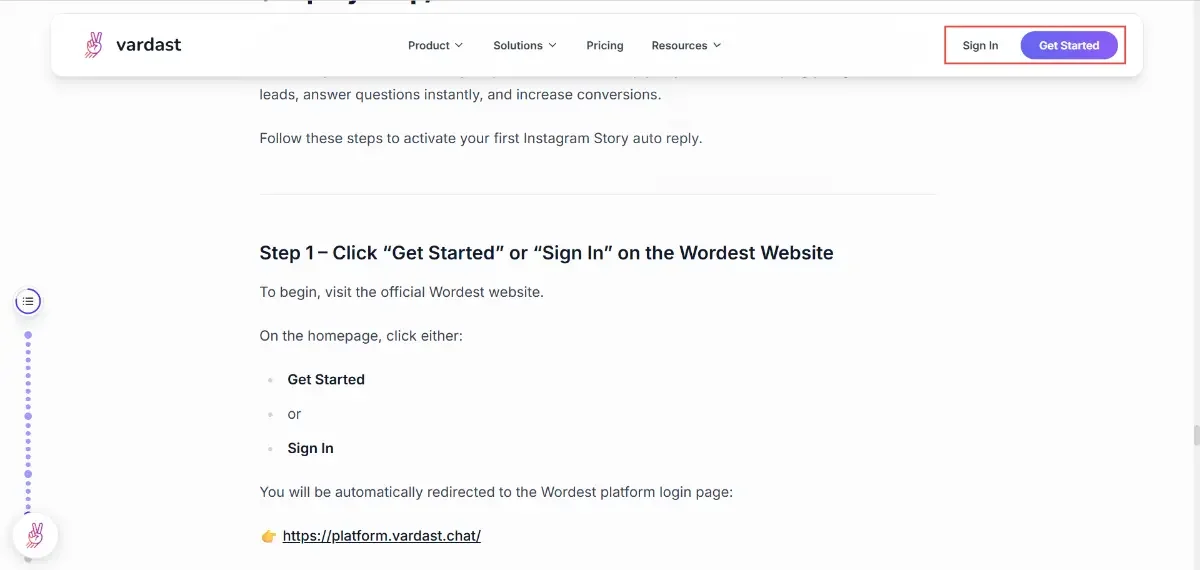
(Your website homepage with “Get Started” / “Sign In” button highlighted)
Suggested image placement: Right below this paragraph.
Step 2 – Create Your Account or Log In
Once redirected to the platform page, you’ll see the Wordest login screen.
If you’re a new user:
- Click on Sign Up
- Enter your email
- Create a password
- Complete registration
If you already have an account:
- Enter your login credentials
- Access your dashboard
After successful login, you will be taken to the main Wordest dashboard.
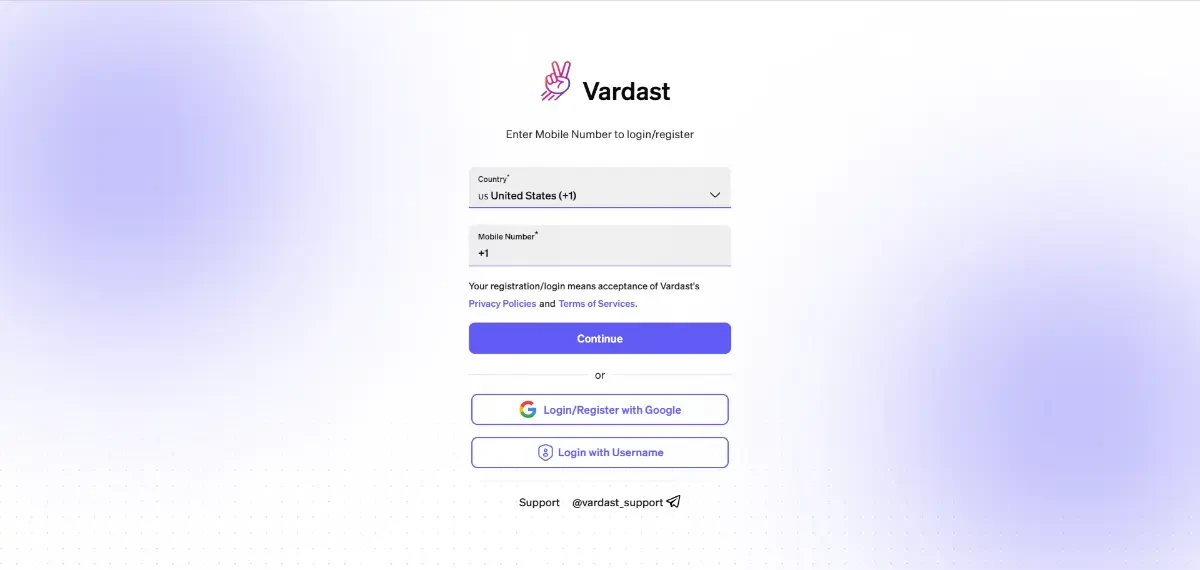
(Login page of https://platform.vardast.chat/
)
Place it directly after explaining the login process.
Step 3 – Open the Automation Tab in the Dashboard
Inside your Wordest dashboard, navigate to the left sidebar menu.
Click on the Automation tab to access all Instagram automation tools.
This section allows you to create:
- Instagram DM auto replies
- Comment-to-DM automation
- Story reply automation
- Keyword-based triggers
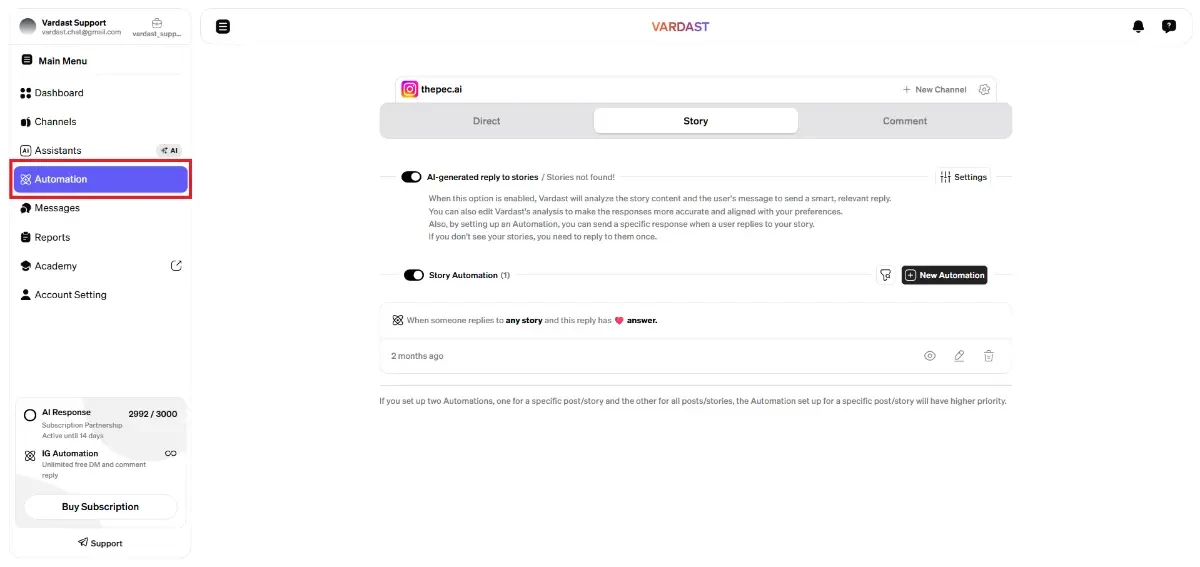
(Dashboard screenshot with the Automation tab highlighted in red)
Place it immediately after this paragraph for clarity.
This is the control center for managing Instagram auto reply flows inside Wordest.
Step 4 – Go to the Story Tab and Create a New Automation
After entering the Automation section:
- Click on the Story tab.
- Click on New Automation.
- Choose your Instagram account.
- Define your trigger (for example: when someone replies to your story).
- Write your automated reply message.
- Add buttons or quick replies if needed.
- Save and activate the automation.
Once activated, your Instagram Story auto reply will respond instantly whenever someone replies to your story.
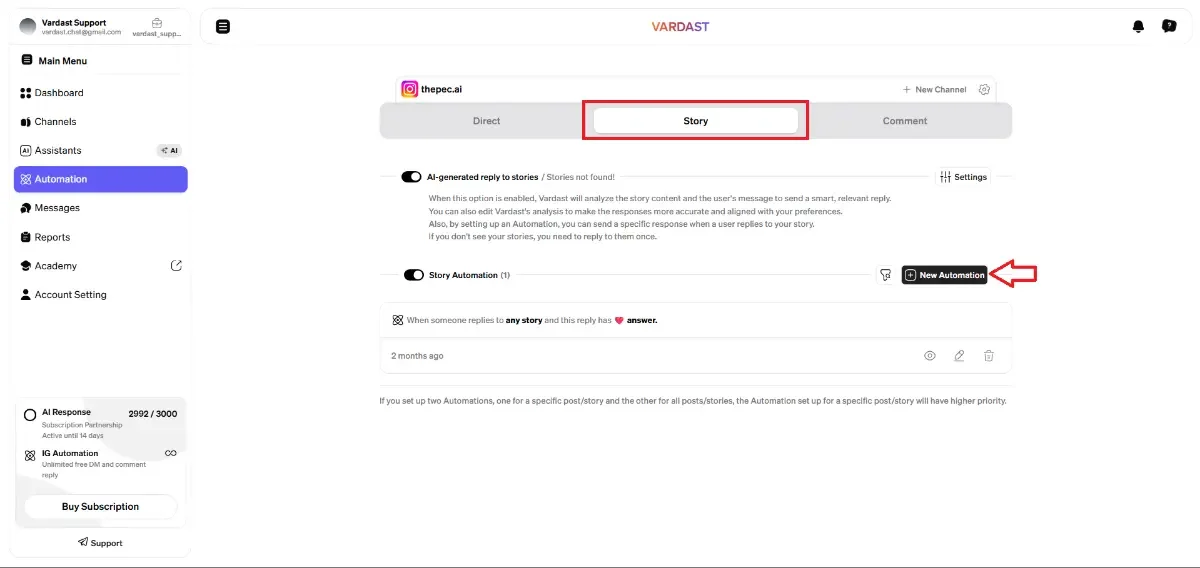
(Story tab screen showing “New Automation” button)
Place it right after listing the steps.
Need a Detailed Guide to Configure Advanced Story Reply Settings?
The steps above show how to create your first Instagram Story auto reply inside Wordest.
However, if you want to:
- Set advanced trigger conditions
- Configure keyword filters
- Add delay timing
- Create multi-step flows
- Optimize your Instagram DM automation for sales
We’ve created a complete step-by-step tutorial inside our Academy section.
👉 [Read the Full Instagram Story Auto Reply Setup Guide in Our Academy]